All Projects
Personal Projects
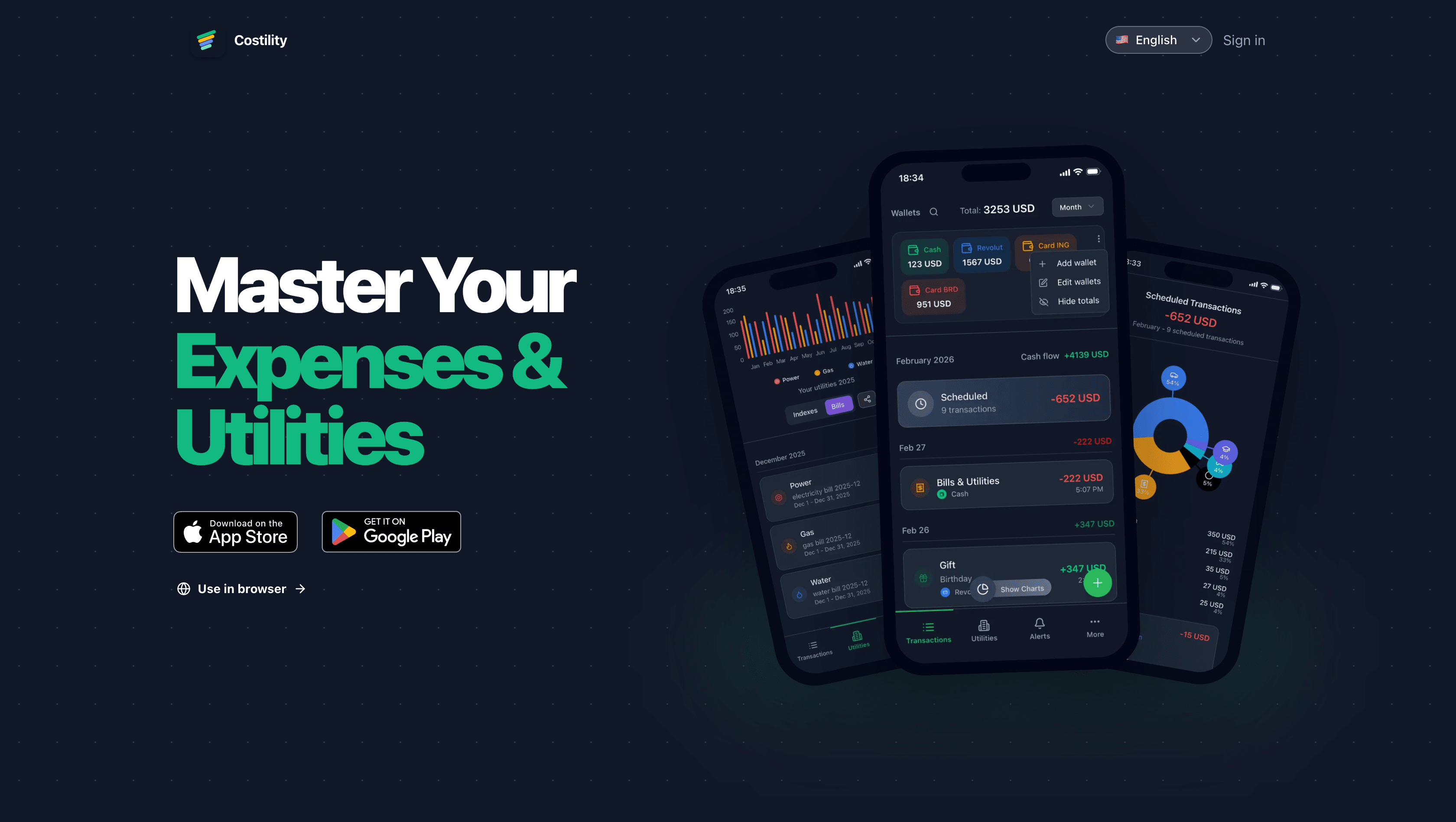
Costility
Costility brings expense tracking and utility management together in one app. Track spending, manage wallets, and understand where your money goes, with access on the web, iOS, and Android. Shared finances and smarter spending Share wallets with others so everyone can add transactions and see the same balance. Import transactions from photos or PDFs with AI-assisted scanning, or split a receipt by sharing a link and letting each person choose their items. Utilities in one place Keep electricity, gas, and water readings and bills organized across homes. Log readings manually or scan bills with AI, track solar export, and compare monthly usage to spot changes and unusual spikes.

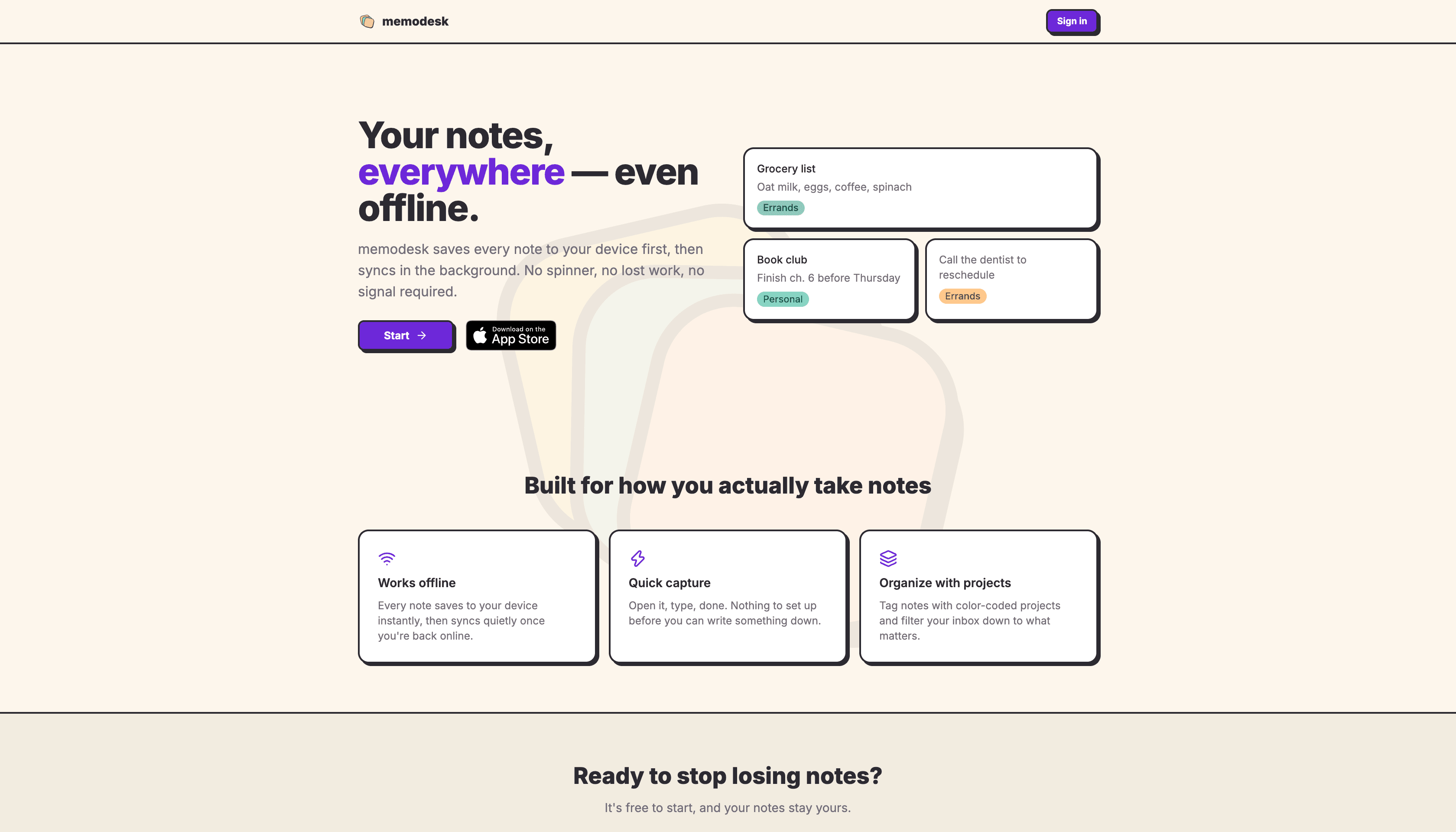
Memodesk
Memodesk is an offline-first note-taking app built for capturing ideas quickly and keeping them available wherever you are. Notes save to your device first, then sync quietly in the background when you are back online. Capture without friction Open the app, write a note, and move on. The experience focuses on quick capture without setup or waiting for a network connection, with access through the web and an iOS app. Organize with projects Group notes with color-coded project tags and filter your inbox to focus on what matters. From shopping lists and reminders to personal ideas, Memodesk keeps everyday notes simple and easy to find.

Drago-ui
Drago UI is a small React component library built with TypeScript, Tailwind CSS, Vite, and Storybook. I built it as a reusable design system for my own frontend projects, with the goal of keeping common UI patterns consistent and easy to maintain. Why I built it I kept rebuilding the same basic UI components across different projects. Drago UI gave me a way to turn those repeated patterns into a reusable package that I could document, test, and publish. What I built - Button component with size and style variants - Input component with labels and required states - Form component using react-hook-form and zod - CodeBlock component with syntax highlighting and copy-to-clipboard - Storybook documentation for each component - npm package setup for reuse in other projects What I learned This project helped me understand how to structure a component library, expose reusable exports, document components with Storybook, and prepare a frontend package for npm publishing.


Portofolio Website v3
This portfolio website is the third version of my personal site, rebuilt with Next.js after moving away from Gatsby. It is the main place where I present my projects, write about web development, and manage content through Strapi. From Gatsby to Next.js The previous version was built with Gatsby, but I wanted a setup that felt easier to maintain and better suited for dynamic project pages, content updates, and future improvements. Content and project pages The site uses Strapi as a headless CMS for project data, images, links, and descriptions. This makes it easier to update the portfolio without hardcoding every change in the frontend. Focus of this version The goal for v3 was to create a cleaner foundation for my personal website: better project pages, a more flexible content structure, responsive layouts, and room to keep improving the site over time.


PDFChat
PDFChat is a Romanian web app that lets users upload a PDF and ask questions about its content. Instead of searching through long documents manually, users can start a conversation with the file and get answers based on the uploaded document. Document chat experience The product flow is intentionally simple: create an account, upload a PDF, wait for the file to be processed, then start asking questions. The goal was to make AI document search feel practical and easy to understand, even for users who are not technical. Product and user flow PDFChat includes the public landing page, account access, pricing entry points, PDF upload flow, and the document conversation experience. The project is built around turning a complex AI feature into a clear step-by-step product. What this project focused on This project helped me work on a full product experience, not just a single page: explaining the value quickly, guiding users through onboarding, handling uploaded files, and designing an interface where AI is useful because it is connected to the user's own documents.


Portofolio Website v2
Portfolio Website v2 was the previous version of my personal website, built with Gatsby and Strapi CMS. It connected a fast static frontend with editable CMS content, giving me a portfolio that was easy to publish, quick to load, and simple to update without changing code for every project. Gatsby and static performance Gatsby was a good fit for this version because it generated static pages ahead of time. That meant fast page loads, good SEO foundations, optimized assets, and a reliable deployment flow for a content-heavy personal site. Strapi-powered content Strapi handled the project data, images, links, and descriptions. This gave the site a cleaner separation between content and frontend code, and made it easier to keep the portfolio updated as I added new work. Why I moved on I really loved working with Gatsby ❤️, but over time it stopped feeling actively maintained and the ecosystem became harder to rely on. This version still represents an important step in my portfolio, but it also made the later move to Next.js feel like the right direction.


Portofolio Website v1
Portfolio Website v1 was my original personal portfolio, built in 2016 with Node.js and the Ghost platform. It combined a personal website with a blog-style content system and was the first proper version of my online portfolio. The first version This was the starting point for having my own place online: a site where I could present projects, publish content, and experiment with running a real web platform instead of only building static pages. Built with Ghost Ghost was a good fit at the time because it gave the project a ready-made publishing experience, content management, themes, routing, and a Node.js foundation. It let me focus on shaping the website and content instead of building every CMS feature from scratch. Why it matters Even though this version is no longer live, it was the foundation for everything that came after. The later Gatsby and Next.js versions grew from the same idea: keeping a personal website that I own, can improve over time, and can use to show real projects instead of just listing them.
Games

Tetris
Tetris is a browser-based version of the classic block-stacking game, built with React and deployed on Vercel. It recreates the familiar gameplay loop of moving, rotating, and clearing falling pieces directly in the browser. Classic game mechanics The project focuses on the core parts that make Tetris work: a game board, falling tetromino pieces, collision detection, line clearing, score progression, and keyboard controls. Even though the idea is simple, it is a good exercise in state management and game logic. React as the game engine Building the game in React meant translating a real-time game loop into component state, hooks, rendering updates, and user input handling. It was a useful way to practice interactive UI logic beyond normal forms, pages, and static components. Deployed demo The game is deployed on Vercel as a live demo, so it can be played directly in the browser without any setup. It is a small project, but a fun one because the result is immediately interactive.

Deck of Cards
Deck of Cards is a small card interaction project built for an Audi interview task. It was created with Gatsby, React, and TypeScript, and focuses on working with a deck of playing cards in a simple browser interface. Card interaction flow The app displays a deck of cards that can be shuffled, selected, and moved into a separate selected area. Once cards are selected, they can be sorted high-to-low or low-to-high using the project rules: suits are ordered Clubs, Spades, Hearts, Diamonds, and Ace is treated as high. Interview task focus Because this was built for an interview, the important part was not the size of the app, but the implementation details: clean component structure, state handling, sorting logic, click interactions, loading/error states, and a working deployed demo. Built with Gatsby and React The project uses Gatsby with React and TypeScript, plus SCSS for styling and Jest setup for testing. It is a compact project, but it shows practical frontend logic around data, UI state, and user interaction rather than just a static page.


Test Projects

Pokedex
Pokedex is an interview test project built with React, TypeScript, Vite, and Tailwind CSS. It consumes the PokeAPI through pokenode-ts and turns the API data into a searchable Pokemon browser with list and detail pages. Search and filtering The app lets users search Pokemon by name, with the search value kept in the URL so the state is shareable and survives navigation. Results can also be filtered by Pokemon type, and the available type filters are generated from the current search results. Pokemon detail pages Each result links to a dedicated Pokemon detail page showing more information such as image, base experience, height, weight, species, forms, abilities, and moves. When navigating back from a detail page, the previous search context is preserved so the user does not lose their results. Interview task focus Because this was built as an interview test, the project focuses on practical frontend behavior: API fetching, debounced search, loading and error states, React Router navigation, shared context, reusable hooks, and keeping UI state in sync with query parameters. Tech stack The project uses React 18, TypeScript, Vite, Tailwind CSS, React Router, pokenode-ts, Axios, and Vitest. It is deployed as a live demo on Vercel.
DIY Projects

Garden Sprinklers System
Garden Sprinklers System is a DIY irrigation project for automating the garden watering setup at home. It started in 2021 with a more manual, non-remote setup and was later upgraded in 2025 with Zigbee smart control, Home Assistant integration, and remote automations. Five separate watering lines The system is split into 5 separate sprinkler lines, each controlling a different part of the garden and using different sprinkler types depending on the area. This makes the watering more flexible, because each zone can run independently instead of treating the whole garden as one circuit. Smart valve control The automation uses Sonoff SWV-BSP smart Zigbee electrovalves to control the water lines. Each valve can be triggered remotely and integrated into Home Assistant, turning a simple irrigation setup into a controllable smart home system. Home Assistant automations Home Assistant is used as the main control layer for schedules, manual overrides, and automation logic. This makes it possible to water different zones at different times, avoid running everything at once, and adjust the system more easily as the garden changes. DIY upgrade path What makes this project interesting is the progression from a basic physical sprinkler setup into a connected irrigation system. It combines plumbing, electrical control, Zigbee devices, and Home Assistant automations into a practical smart home project that solves a real daily problem.


Solar System
Solar System is a DIY solar project built around a small Enphase-based setup connected into the house electrical system. It uses 3 solar panels, each paired with its own Enphase microinverter, plus an Enphase Envoy gateway for monitoring and system communication. Small but complete solar setup The project is interesting because it is not just a panel installation, but a complete microinverter-based solar system. Each panel works independently through its own Enphase microinverter, which makes production easier to monitor and keeps the setup modular. Enphase and Home Assistant monitoring The Enphase Envoy acts as the communication and monitoring layer for the system, collecting production data from the microinverters. That data is also integrated into Home Assistant, so solar production can be viewed together with the rest of the house energy and automation setup. Connected to the house The system is connected to the home electrical installation, making it part of the real energy flow of the house rather than a standalone experiment. It became one of the first steps toward a more complete home energy setup, alongside monitoring, automation, and later solar/battery upgrades.

Toolshed
Toolshed is a DIY garden project built in 2023 as a practical storage space and as part of the wider home improvement setup. It was designed to be useful on its own, but also to support other projects around the house. More than storage The shed gives the garden tools, equipment, and outdoor materials a proper dedicated place, keeping them organized and protected instead of scattered around the yard or garage. Built with solar in mind One important reason for building the toolshed was the solar project. The shed became the mounting location for the DIY solar panels, giving them a dedicated outdoor structure and making the solar setup feel integrated into the property rather than added randomly later. Part of the home energy setup Because the solar panels are mounted on the toolshed, this project connects directly with the Enphase solar system and the broader house energy monitoring setup. It is a good example of how a simple DIY construction project can become part of a larger smart home and energy system. DIY value This project was less about software and more about building something physical that solved multiple problems at once: storage, organization, outdoor utility, and a foundation for the solar panels.

Koi Pond
Koi Pond is a DIY garden project that was initially built during the pandemic as a way to transform part of the outdoor space into something more calm, natural, and alive. What started as a hands-on lockdown project became one of the main features of the garden. A living outdoor project Unlike a software project, the pond is never really finished. It changes with the seasons, the plants, the fish, and the way the garden around it evolves. It combines construction, landscaping, water circulation, filtration, and ongoing maintenance into one long-term DIY project. Redesign in progress The pond is currently being redesigned and improved, so the project page is still a work in progress. The current photos show an earlier stage, and new pictures will be added once the redesigned version is ready. Why it matters This project represents a different kind of building: not code, but a physical space that has to work in the real world. It required planning, manual work, problem solving, and continuous adjustments to make the pond look good while also staying healthy for the fish and plants.